Stick Nodes Pro - Animator
ForTheLoss GamesEntertainment
4.82.75K Reviews
- Version
- 4.3.0
- Installs
- 100.00K
- Age Rating
- Everyone
Screenshots
Our Review of Stick Nodes Pro - Animator
 Analysis by Appyee
I like animation apps most when they make the hard part feel approachable without hiding the craft involved. Stick Nodes Pro - Animator does that by letting me build a scene one pose at a time on a phone or tablet. It is an entertainment app from ForTheLoss Games, and its focus is deliberately narrow: stick-figure animation rather than a broad suite for drawing, editing video, or making every kind of visual project.
The key idea is frame-by-frame movement. Instead of expecting a finished performance to appear from a prompt or preset, the app asks you to make small changes and judge how those changes read from one moment to the next. That hands-on approach is useful for learning timing and motion, but it also means the quality of a result depends on patience. I would choose it when I want to understand how a movement is built, not when I need a polished clip in the least possible time.
Why seeing the previous pose matters
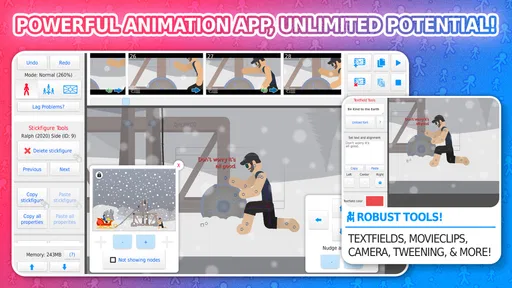
When I work frame by frame, the ghost image of the previous frame gives me a visual anchor. I can compare a figure’s new position with its last one and make a smaller adjustment instead of guessing from a blank canvas. Onion skinning extends that idea by showing multiple frames, which can help me spot a sudden jump or a limb that is drifting out of a smooth path.
A practical tip is to change only the parts that need to move in each step. If a character is walking, for instance, I would keep the body’s overall position consistent while shifting the legs and arms through the action, then review the sequence for uneven spacing. Large pose changes can work for a deliberate snap or impact, but they tend to look abrupt when the intended motion is gentle. The ghosting tools make those choices easier to see; they do not make the timing decisions for you.
Getting Started with Stick Nodes Pro
The first thing you'll notice when you open Stick Nodes Pro is its intuitive interface. It’s designed to be user-friendly, which is a big plus if you’re new to animation. The app guides you through creating your first stick figure animation with a simple tutorial. You can quickly get the hang of it thanks to its straightforward layout and helpful tips that pop up as you explore different features.
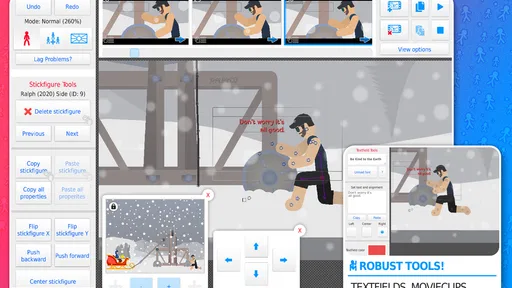
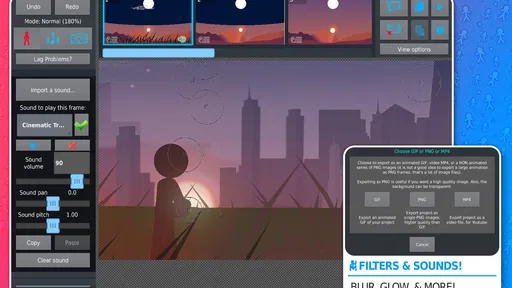
One of the coolest things about the app is its ability to create animations frame by frame. This might sound a bit intimidating at first, but trust me, it’s easier than it sounds. The app provides a ghost image of your previous frame, so you can adjust your figures just right. It’s like having your own little animation studio in your pocket!
Features that Stick Out
What really sets Stick Nodes Pro apart from other animation apps are its features. Let's talk about some of the highlights:
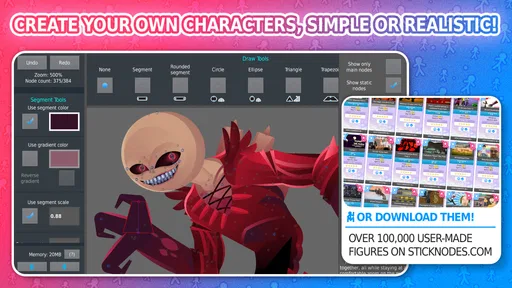
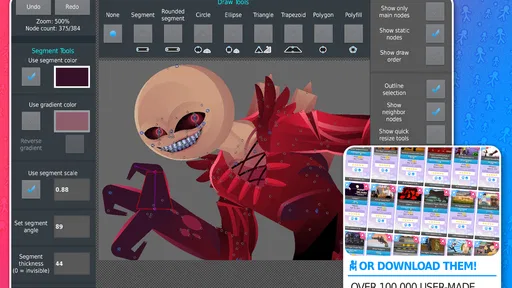
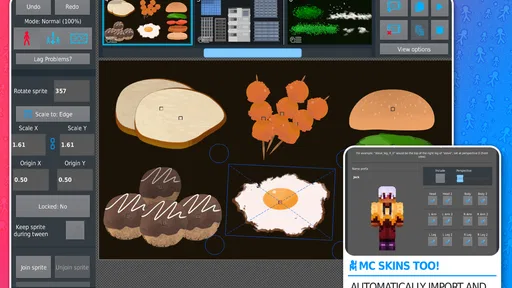
- Customizable Stick Figures: The app allows you to create your own stick figures or download them from the community library. This means you can animate pretty much anything you can imagine.
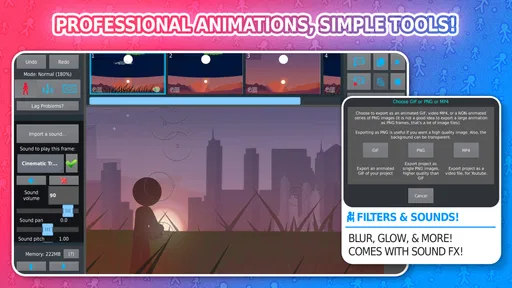
- Sound Effects: You can add sound effects to your animations, bringing your creations to life with a bit of audio flair. Whether it’s the sound of footsteps or a dramatic explosion, the app has you covered.
- Onion Skinning: This feature helps you see multiple frames at once, making it easier to add fluidity to your animations. It’s a feature that even professional animators use!
- Export Options: Once you’re happy with your animation, you can export it as a GIF or MP4. Share it with friends or post it online to show off your skills.
A small scene, planned with care
A realistic way to try the workflow is to make a short everyday action: a figure reaches for a cup, picks it up, and takes a sip. I would first decide where the figure and cup sit in the scene, then make a few clear poses for the reach, contact, lift, and return. The point is not to draw every possible movement at once; it is to create readable landmarks and use the previous-frame image to bridge them with controlled changes.
This kind of exercise also reveals a trade-off that is easy to miss at first. A stick figure is quick to pose and keeps attention on movement, but an object still needs to remain in a convincing place as the hand approaches it. If the cup shifts between frames, the viewer may read it as sliding rather than being picked up. I would check the prop’s position across the sequence before adding sound, because a sound effect can make a clear action feel more complete but cannot fix confusing motion.
Choosing figures and keeping a project manageable
Custom figures and the community library can save time when I want a character with a particular silhouette, or when I would rather spend a session animating than building a figure from scratch. They also make it easier to test ideas: a simple character is often enough to find out whether a jump, turn, or fall reads well. I would treat a borrowed design as a starting point, though, not a substitute for deciding how it should move in my own scene.
For a first project, I would keep the cast small and the action easy to read. Every extra character or prop creates another thing to position consistently from frame to frame. That is not a reason to avoid ambitious scenes; it is a reason to block the main movement first and add detail only when the action works. If a sequence feels hard to manage, simplifying it can teach more than pushing through a crowded setup.
Where it fits among animation tools
Compared with a general drawing app, this is a more focused choice: it is built around moving stick figures rather than giving you a blank canvas for illustration. Compared with a video editor, it asks you to create the motion yourself instead of mainly arranging footage that already exists. That makes it a good fit for a playful fight, a brief gag, a movement study, or an animation shared as a GIF or MP4. If your goal is detailed hand-drawn characters, live-action editing, or a finished presentation with extensive visual polish, I would look for a tool designed specifically for that job.
The same focus is both its strength and its boundary. Stick-figure scenes let me spend attention on poses, spacing, and timing without having to render complex artwork, but that visual simplicity will not suit every story. Someone who enjoys drawing detailed backgrounds may feel constrained, while a beginner who wants to learn the basic logic of motion can benefit from having fewer visual decisions to make. I would choose based on whether the movement itself is the main thing I want to create.
When a phone is enough—and when it is not
Working on a mobile screen makes the app convenient for a short idea that comes up between other tasks. I might sketch a quick gag during a break, save the more involved sequence for a longer session, and export only after checking that the action reads at normal speed. Small, deliberate projects suit this rhythm better than trying to build a long film in scattered minutes; continuity and repeated edits can demand more attention than a casual session allows.
If you are deciding whether to pay for it, the price is $3.99. I would think about how often I genuinely want to animate, rather than buying it just because the idea sounds fun for one afternoon. Someone who expects a one-tap generator may be disappointed: this is a making tool, and its appeal comes from shaping the motion yourself. If you are curious about timing and willing to revise poses, the focused workflow is the point.
The Creative Community
One of the best parts about using Stick Nodes Pro is the community. The app has a thriving online community where users share their creations, offer tips, and even provide feedback on each other’s work. This sense of community can be incredibly motivating, especially when you’re looking for inspiration or a bit of help. Plus, the library of user-created stick figures is continuously growing, which means you’ll never run out of ideas or resources.
If you’re ever stuck on a particular animation concept, a quick visit to the community forum or the app’s social media pages can spark new ideas. It's like having a team of animators cheering you on and helping you out.
What to expect before installing
The app is rated Everyone, and it has been available since Aug 19, 2014. Its current version is 4.3.0, with Android 6.0 as the minimum operating system. I find those details useful when choosing a device for a creative project: check that your phone or tablet meets the system requirement, and consider whether its screen gives you enough room to place figures carefully. A larger display can make precise posing more comfortable, even though the mobile format is part of the appeal.
It has a 4.8 average from around 9.6 thousand ratings, with roughly 2.7 thousand written reviews and over 100 thousand installs. Those figures suggest that many people have tried it and responded positively, but they do not tell me whether its hands-on style will suit a particular creator. I would use the workflow itself as the deciding factor: if adjusting poses frame by frame sounds satisfying, it is likely a better match than a tool that automates most of the animation.
Final Thoughts
If you’re an animation enthusiast or simply someone who enjoys creating things on the go, Stick Nodes Pro - Animator is definitely worth checking out. It’s packed with features that cater to both beginners and more experienced animators. The ability to customize and create is endless, and the community aspect adds an extra layer of fun and learning.
Whether you’re animating a simple stick figure dance or a complex fight scene, this app gives you the tools you need to unleash your creativity. So go ahead, download it, and start animating your imagination!
My recommendation for the right kind of creator
I would recommend it most to someone who wants a low-barrier way to practice visual storytelling: a student experimenting with motion, a hobbyist making short jokes for friends, or an animator who wants to block out an idea before taking it into a more elaborate workflow. The app’s emphasis on stick figures keeps the focus on what a pose communicates. That can be surprisingly useful even when the eventual project will use a different style.
I would skip it if I needed a complete video-production workspace, intricate painted artwork, or automatic movement with little manual input. It is also a less comfortable fit if I find repeated small adjustments tedious; frame-by-frame control is rewarding precisely because it gives the creator responsibility for the result. For me, that is the honest appeal: it turns a simple figure into a lesson in timing, one considered pose at a time.
Verdict
Strengths of Stick Nodes Pro - Animator
- User-friendly interface for smooth animation creation.
- Extensive library of pre-made stick figures.
- Offers export options in multiple formats.
- No ads to interrupt your creative process.
- Highly customizable with various tools.
Limitations of Stick Nodes Pro - Animator
- Limited sound effects available in-app.
- Some advanced features need a learning curve.
- No cloud storage integration for projects.
- Occasional crashes on older devices.
- Lack of collaborative project features.
Similar Picks in This Category
View All
Google Play Games
Google LLC3.9

Netflix
Netflix, Inc.4.8

YouTube Kids
Google LLC4.2

Disney+
Disney4.4

Prime Video
Amazon Mobile LLC4.7

Steam
Valve Corporation3.2
Frequently Asked Questions
What features does Stick Nodes Pro offer for animators?
Stick Nodes Pro is a robust animation tool that provides advanced features like onion skinning, sound effects, and export options. Users can create frame-by-frame animations with ease, thanks to the intuitive interface and wide range of stick figures and backgrounds available. It's designed for both beginners and experienced animators.
Is Stick Nodes Pro suitable for beginners in animation?
Yes, Stick Nodes Pro is accessible for beginners, offering tutorials and a user-friendly interface. The app includes helpful features like auto-save, frame-by-frame editing, and a library of pre-made figures. While it has advanced functionalities, the learning curve is manageable, making it a great starting point for new animators.
Does Stick Nodes Pro support sound integration in animations?
Stick Nodes Pro allows users to import and integrate sound effects directly into their animations. This feature enhances the storytelling aspect of animations by synchronizing sound with movement, making the creations more dynamic and engaging. Users can add multiple sounds to enrich their animated projects.
Can I export animations created in Stick Nodes Pro to other platforms?
Yes, Stick Nodes Pro provides various export options. Users can export their animations as GIFs or MP4 files, making it easy to share across social media platforms or upload to video-sharing sites like YouTube. This flexibility ensures that animations can be showcased in the desired format.
Are there community resources available for Stick Nodes Pro users?
Stick Nodes Pro has a vibrant community where users can share animations, download additional figures, and seek advice. The community forums and online resources offer support and inspiration, allowing users to collaborate and improve their animation skills. This network is a valuable asset for both new and seasoned animators.
